trip1 now works with AI agents in your browser: WebMCP explained
trip1.com now supports WebMCP, an experimental web standard that lets AI agents search hotels, compare rooms and check dates through structured tools instead of guessing at buttons. Here's Gemini planning a real Lisbon trip.

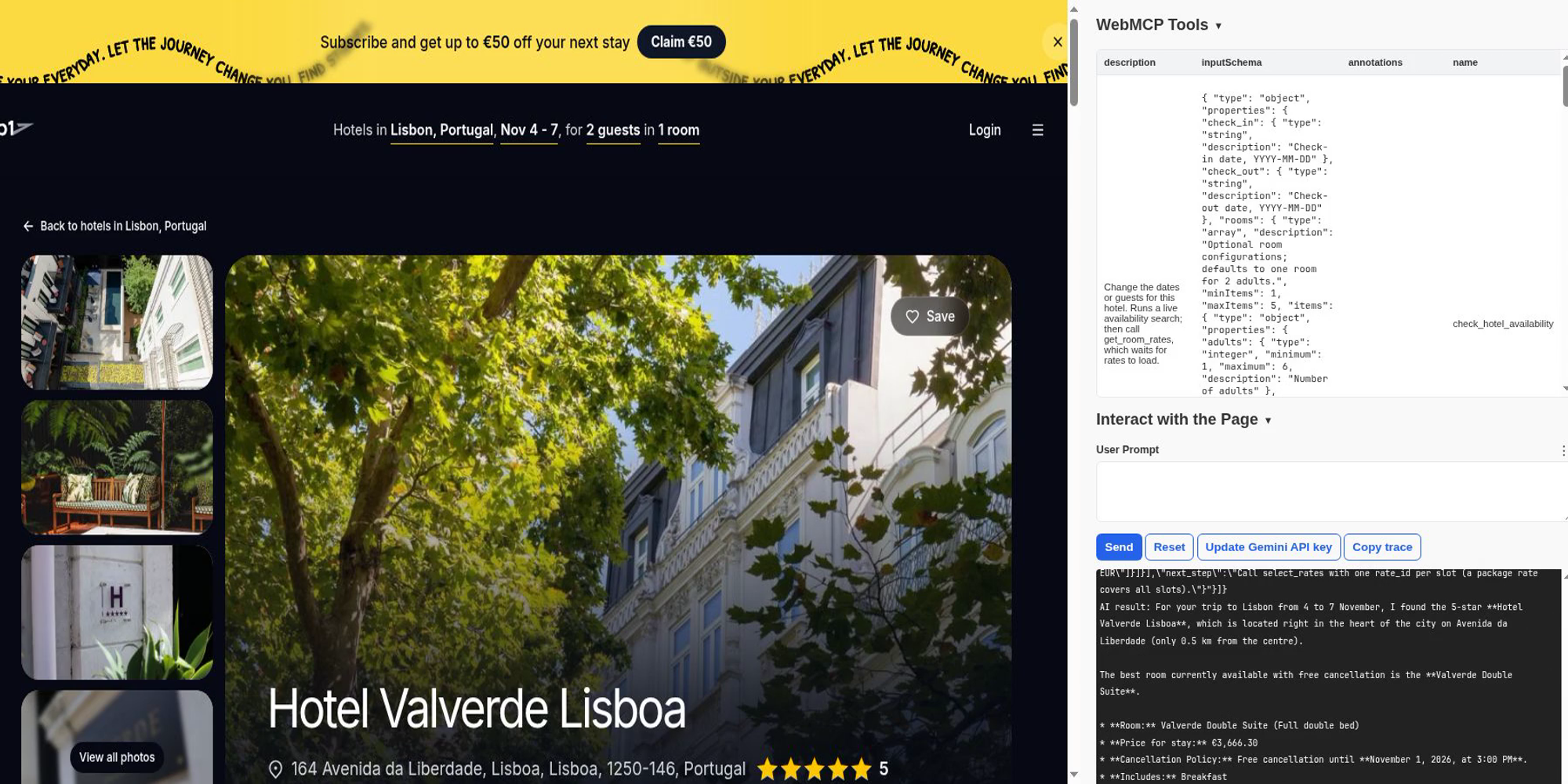
AI assistants are starting to browse the web for you. Until now they have had to do it the hard way: reading pixels, guessing which button does what, and breaking whenever a page changes. trip1.com now gives them a better way in.
trip1 supports WebMCP, a new web standard developed by Google and Microsoft in the W3C. It lets a website hand an AI agent a set of clearly described tools. Instead of clicking around, the agent calls search_hotels or get_room_rates directly and gets back clean, structured answers: hotel names, prices for the whole stay, cancellation deadlines, and taxes paid at the hotel.
Experimental, but real
WebMCP is early. Chrome is testing it through an origin trial in Chrome 149 to 156, trip1.com is enrolled, and the standard may still change. Mainstream assistants don't call WebMCP tools yet: Google has said Gemini in Chrome will support it soon.
You can already use it today, though, with developer and open-source agent tools such as the Model Context Tool Inspector, which lets Gemini use a page's tools. That's what we used for the walkthrough below, on live trip1.com. And if you're building an agent that works outside the browser, our MCP server is ready for production now: any MCP client can search, compare rooms and book on trip1.
See it in action
We opened trip1.com in Chrome, gave Gemini a real trip through the Inspector, and let it work. Nothing was scripted: Gemini read the tools trip1 offers on each page and decided what to call. The request: “My partner and I are going to Lisbon, 4 to 7 November. Find us a 4 or 5 star hotel close to the centre, open it and tell me its best room we can still cancel for free.”
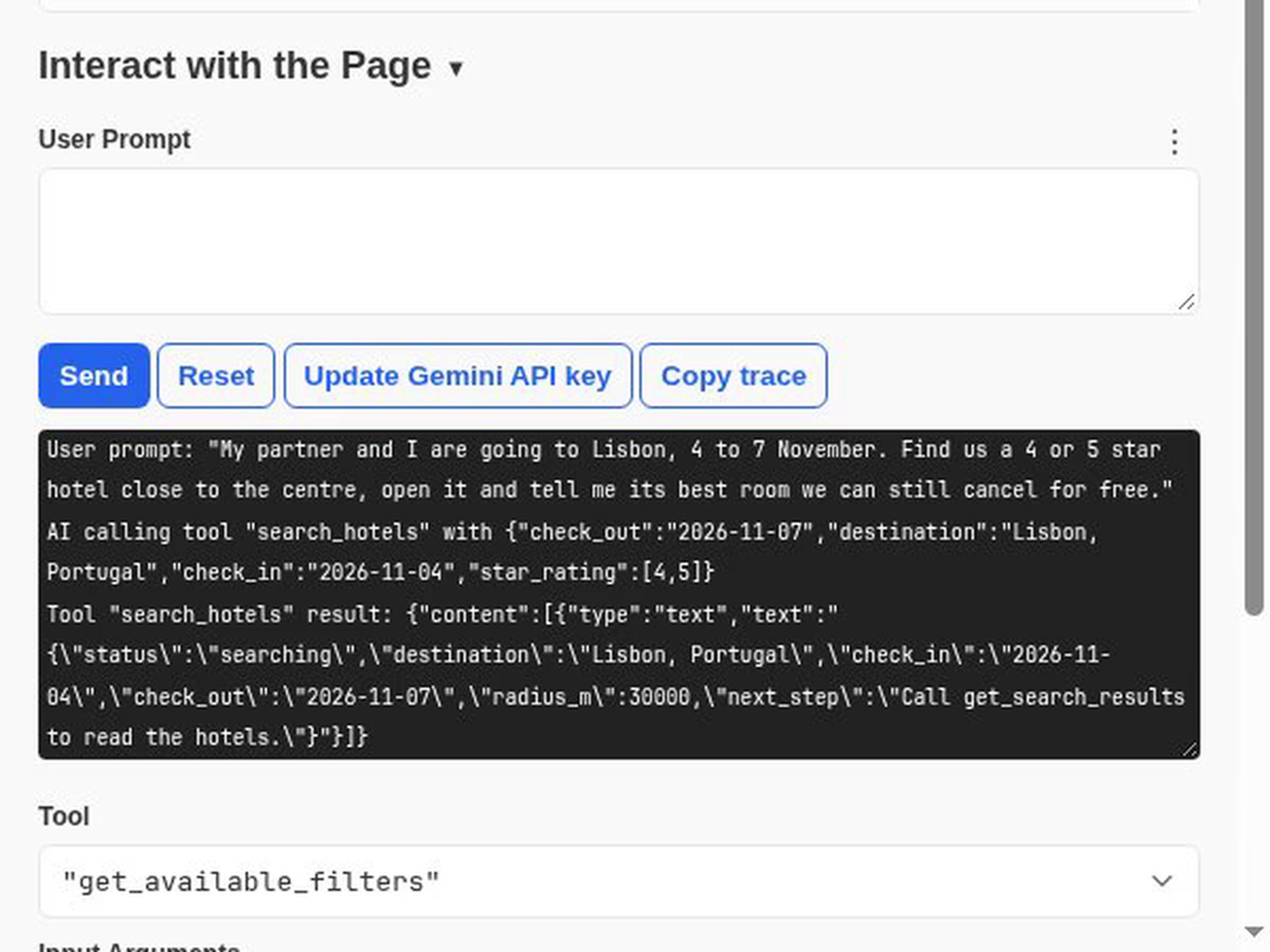
1. Gemini asks trip1 to search
Gemini called search_hotels with the destination, the dates and a 4 to 5 star filter. trip1 found Lisbon itself and opened the results page, with no coordinates or URLs for Gemini to work out.
2. It reads the live results
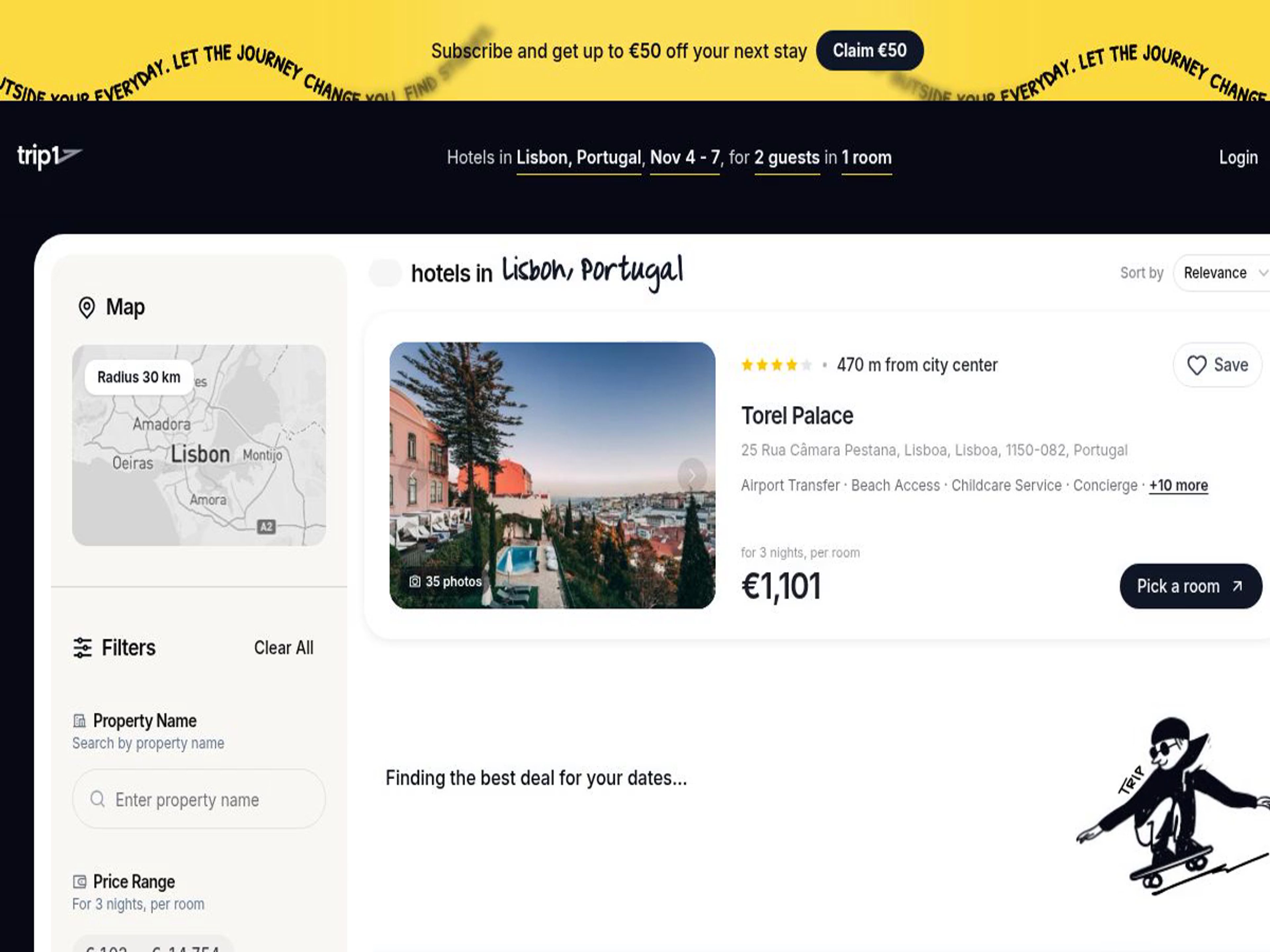
On the results page a new tool appeared, get_search_results, and Gemini used it to read the hotels with live prices for the whole stay. Its first attempt came before the page had finished loading; it simply tried again.

3. It opens the best match
Gemini opened Hotel Valverde Lisboa, a 5-star hotel on Avenida da Liberdade about 0.5 km from the centre, then called get_room_rates for every room, board type and cancellation term.
4. And gives a straight answer
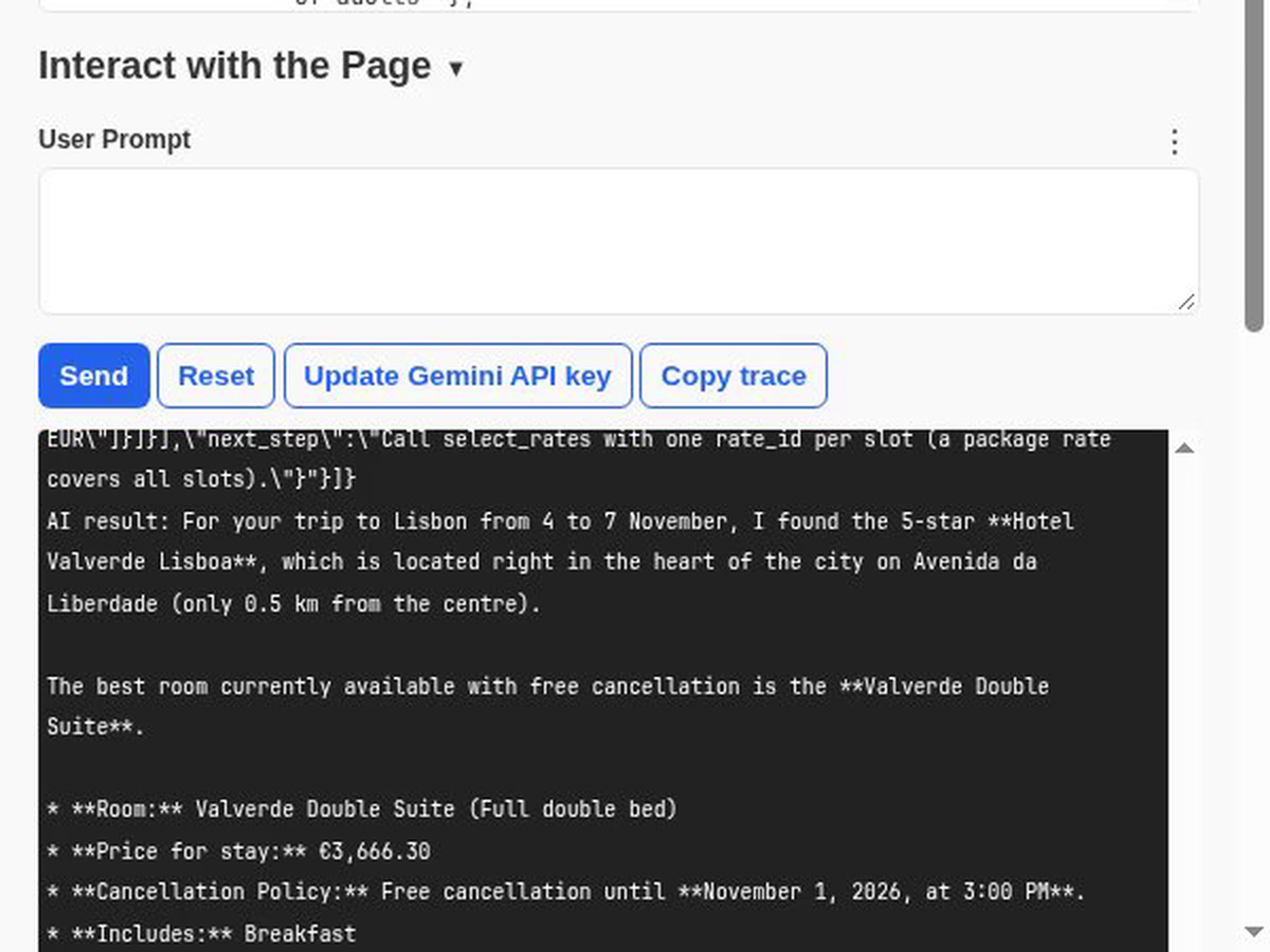
The best room it could still cancel for free: the Valverde Double Suite, €3,666.30 for three nights with breakfast, free cancellation until 1 November, and the €24 city tax payable at the hotel flagged separately. Every figure came from trip1's live data. Nothing was booked.
What an agent can do on trip1
The tools change with the page you are on, just like the page itself:
- Anywhere on the site: understand where you are, jump to any section, and search hotels by destination name, dates, rooms and guests.
- On search results: read the results, see which filters are available, refine by stars, amenities, radius, dates or guests, and open a hotel.
- On a hotel page: read the hotel's details and guest reviews, check other dates, list every room and rate with its cancellation terms, and hold a room to open checkout.
You stay in control
An agent can do the legwork, but it can't spend your money. Choosing a room opens the checkout page, and payment is always a step you take yourself. The tools also tell the agent which content comes from hotels and guests rather than from trip1, so it knows to treat that text with care. And when a request can't work, such as check-out before check-in or too many guests for one room, the agent is told exactly why, so it can fix the request instead of guessing.
Try it yourself
- Use Chrome 150 or later and enable WebMCP for testing at chrome://flags.
- Install the Model Context Tool Inspector, add a Gemini API key, open trip1.com and ask it to plan a trip.
- Or open DevTools on trip1.com and call the tools yourself:
const tools = await document.modelContext.getTools();
const search = tools.find((t) => t.name === 'search_hotels');
await document.modelContext.executeTool(
  search,
  JSON.stringify({ destination: 'Lisbon', check_in: '2026-11-04', check_out: '2026-11-07' })
);
What's next
Search and hotel pages are the start. Next, agents will be able to help with checkout details, manage your bookings and saved hotels, and answer travel questions from our visa, weather and destination guides. As assistants add WebMCP support, trip1 will be ready for them.
WebMCP and AI agents on trip1 - FAQ
WebMCP is an experimental web standard that lets a website offer AI agents a set of described tools, each with a name, a purpose and the inputs it takes. Instead of reading pixels and clicking buttons, an agent in the browser calls those tools directly and gets structured answers back. On trip1.com, the tools include search_hotels, get_search_results and get_room_rates.
WebMCP was developed by Google's Chrome team and Microsoft's Edge team, together with the community behind MCP-B, in the W3C Web Machine Learning Community Group. The specification is a draft, so it may still change.
Yes, experimentally. Chrome is testing WebMCP in an origin trial that runs from Chrome 149 to Chrome 156, and websites that take part, like trip1.com, can offer their tools to agents. It is not switched on for every website by default yet.
Use Chrome 150 or later, open chrome://flags, set WebMCP for testing to Enabled and relaunch Chrome. Developer tools such as the Model Context Tool Inspector need this flag. On sites in the origin trial, including trip1.com, the page's tools are available to scripts without it.
MCP, the Model Context Protocol, connects an AI app to a server over the network. WebMCP brings the same idea into the browser: a web page registers its tools with the browser, and they run inside the page, as the person using it. trip1 offers both: an MCP server for agents that work outside the browser, and WebMCP tools on trip1.com.
An agent can do the legwork: search, compare rooms and rates, and open checkout with the room you picked. Paying is always your step. Agents that use trip1's MCP server can create a booking and receive a payment link, which is then paid with x402 or CoinGate.